eLandings User Manual
How to Pay Fees Using the eFISH Portal
The observer fee liability invoice will be sent to processors and registered buyers by January 15 of each year for all of the landings in the prior year. The fee liability is due to NMFS by February 15. Full payment of the observer fee liability will be required before NMFS will issue a new or renewed Federal Processor Permit (FPP) or Registered Buyer permit.
Observer fees must be paid in an online system called eFISH. For more information about how to log into eFISH go here: eFISH Web Application. In order to pay Observer Fees, permit holders will need to know their NMFS ID numbers and accompanying passwords to access their accounts. The NMFS ID is a unique number assigned to a person(s)/company that applies for federal permits through the Restricted Access Management (RAM) Division.
- Don't forget to check the Acknowledge and Accept checkbox!
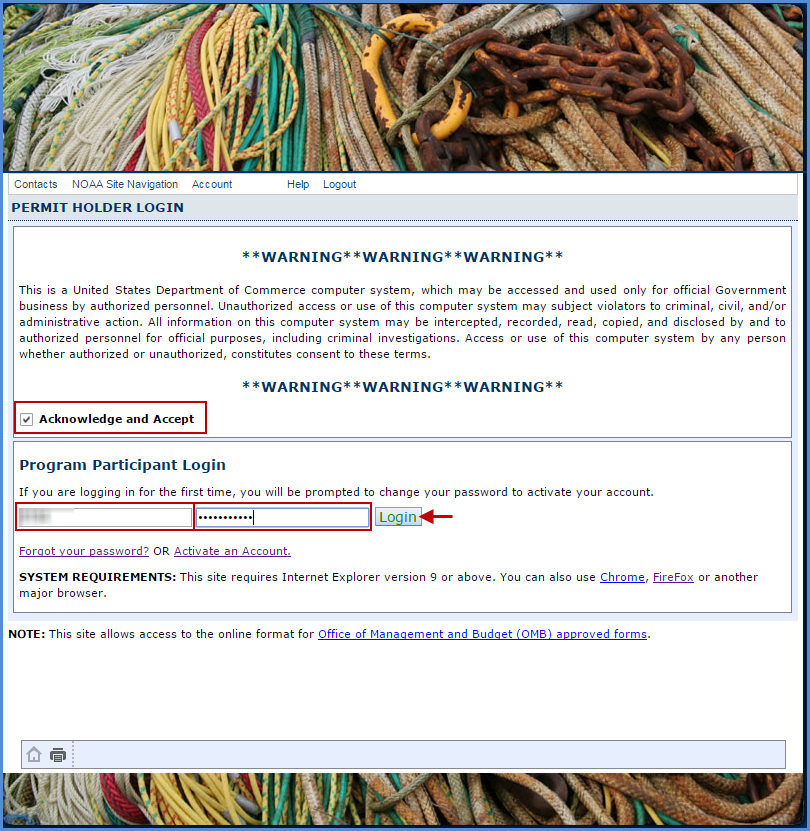
- Make sure to check the Acknowledge and Accept checkbox
- Enter your NMFS ID
- Enter your Password
- Click on the Login button
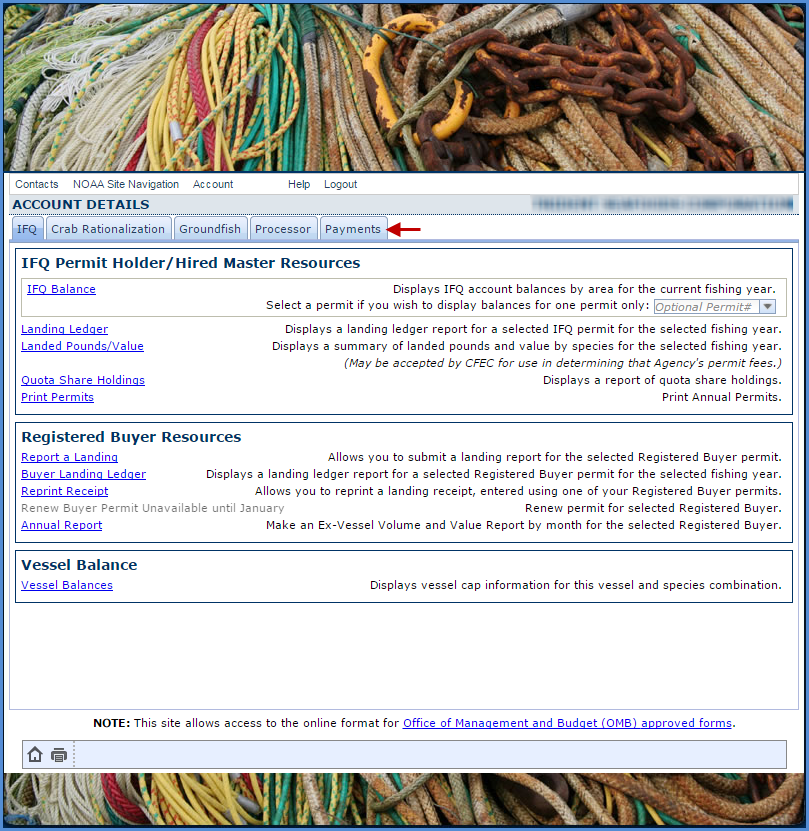
2. The default menu will open on the IFQ tab
- Click on the Payments tab to display your fee payment options
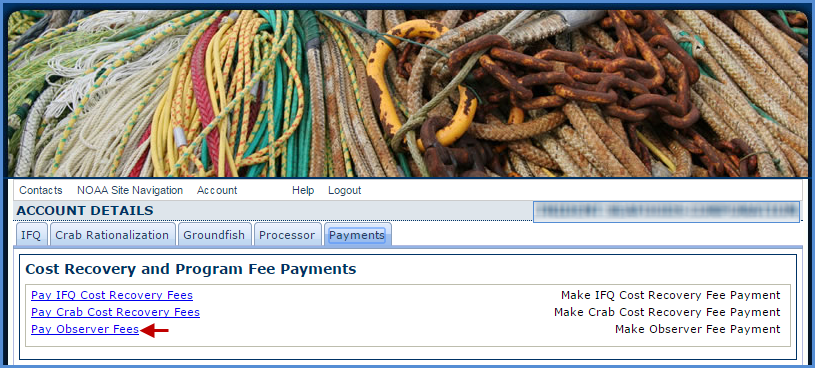
3. Click on the Pay Observer Fees link in blue text
4. Observer Fees Page
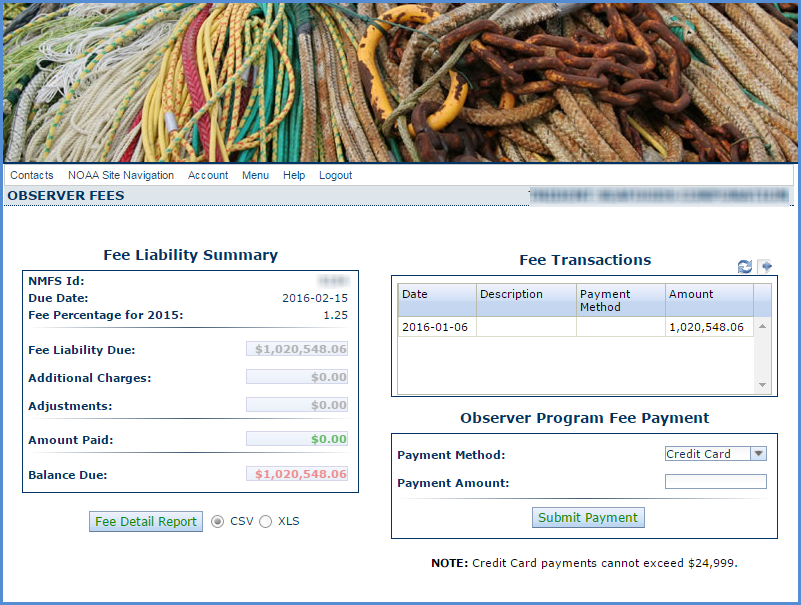
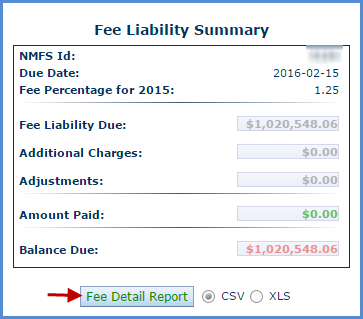
- Fee Liability Summary
- Enables user to view Fee Liability details such as additional charges, adjustments, amounts paid, and balance due
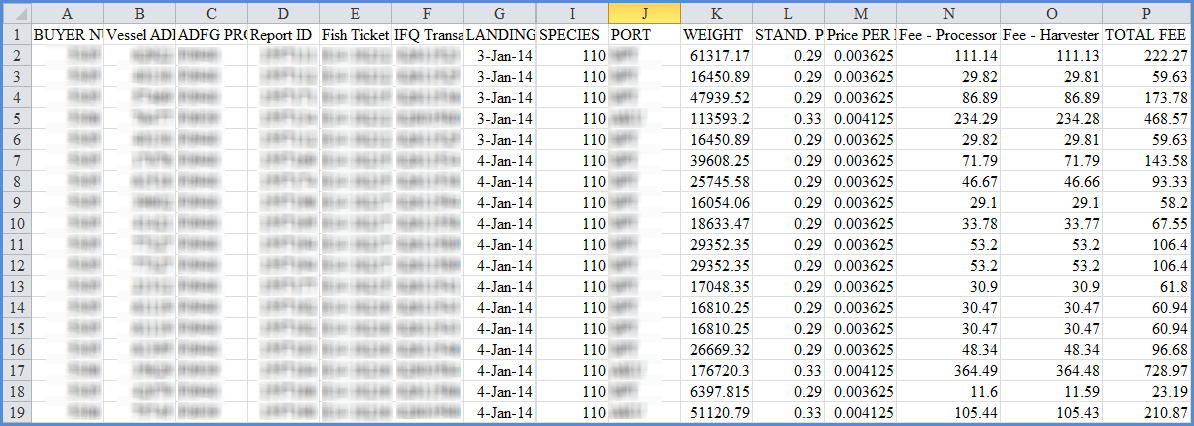
- Fee Detail Report - provides the user with the ability to generate a spreadsheet documenting observer fee details by individual landings and species in csv or xml format
- Fee Transactions
- Enable user to view obs fee related billing transactions
- Observer Fee Program Payment
- You can pay your fees via credit card* or ACH**
- Once you select your payment method and enter relevant information, click on the Submit Payment button
* Credit cards accepted: Visa, Mastercard, Discover, American Express.
** Automated Clearing House (ACH) electronic debit from checking or savings accounts
Online Payment Forms
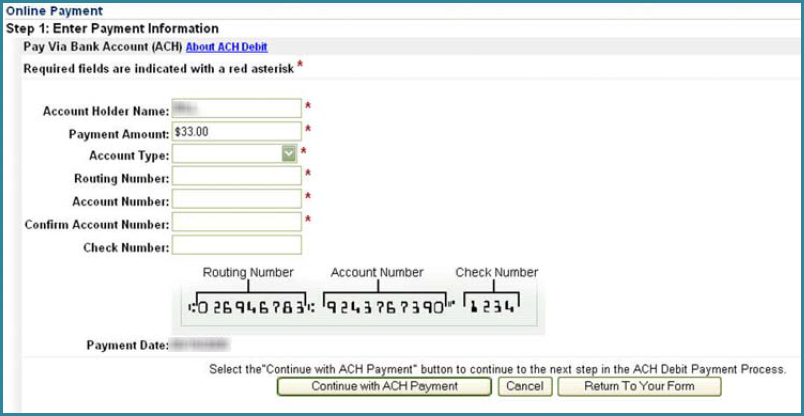
ACH Payment Form -
- Direct debit from checking or savings account
Credit Card Payment Form -
- If you use this method to pay your fees, you will be redirected to the pay.gov site
- You will have two forms to complete before your credit card payment transaction is final
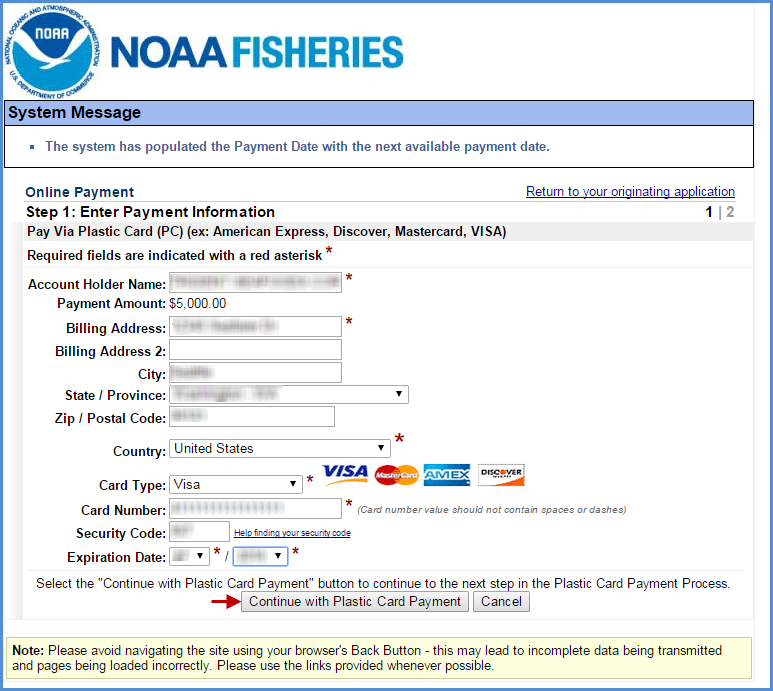
- Cannot exceed $24,999.00 in a single transaction.
- The threshold amount for credit card payments was lowered in 2015 by the Department of the Treasury.
- To learn more, click on the following link Treasury Financial Manual - A 2014-04.pdf
- Use your credit card to make multiple transactions that add up to the total amount due.
- Cannot exceed $24,999.00 in a single transaction.
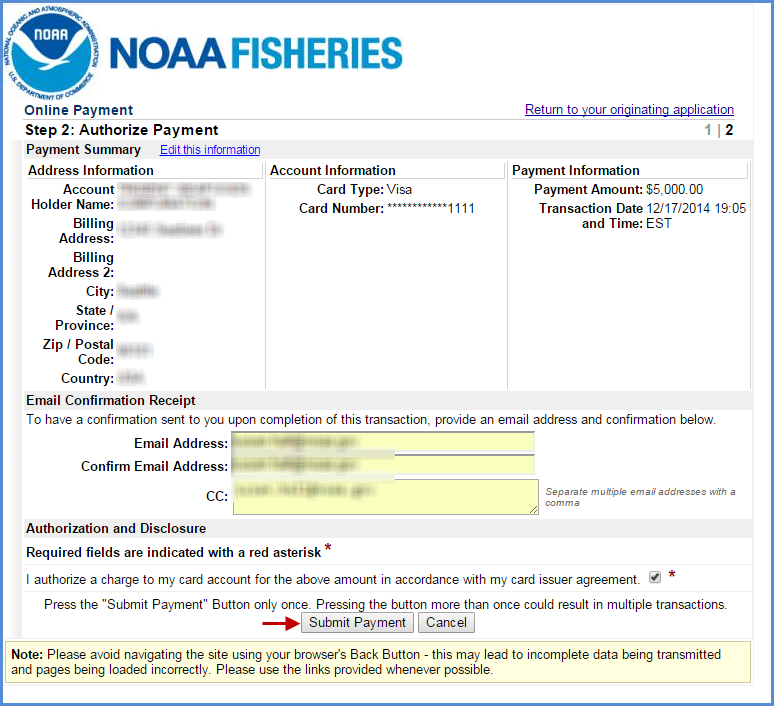
Once your payment has been successfully submitted
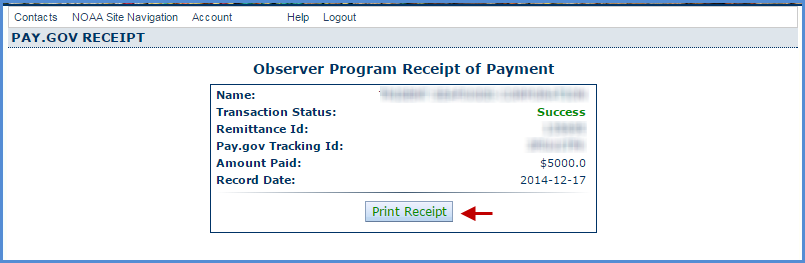
- A receipt for each transaction will be generated and sent to the email address provided.
- You will be taken back to the eFISH portal where you can print a receipt manually.
Observer Fees – Fee Detail Report
- Generate the Fee Detail Report by clicking on the button located below the Fee Liability Summary box
- Make sure you disable your pop-up blocker in your web browser.
- Select the output format you want to view your report as
- Click on the Fee Detail Report button
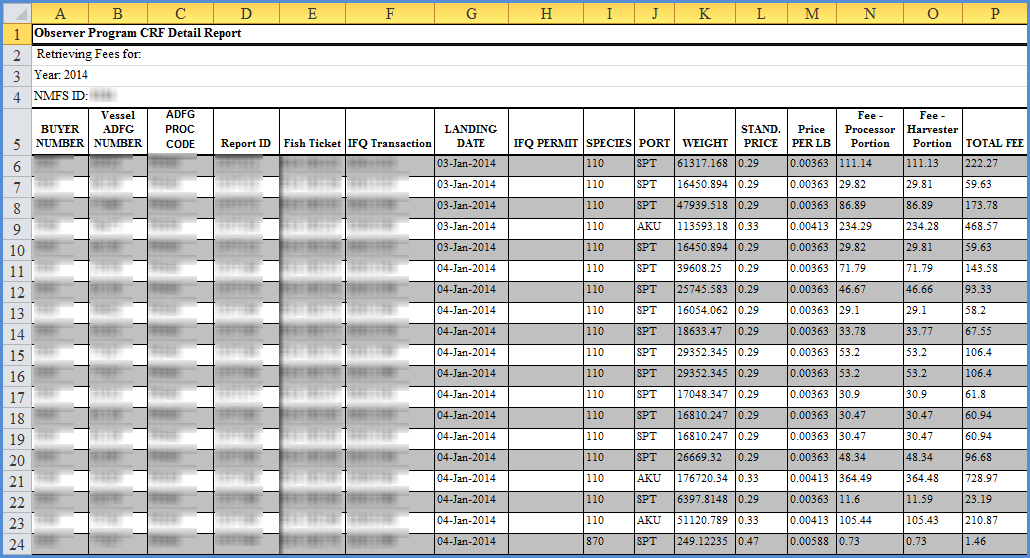
- The report will be generated as a csv spreadsheet (similar to Excel) which you will need to open once it has downloaded to your computer.
- Or the report will be generated in xls format which will be slightly different than csv and you will get a message similar to the one below prior to being able to open the document

- Once you confirm the prompt, your document will look like the one shown below